
Recap The Future of Software Engineering: Auditable Autonomy, Engineering With AI Teammates That Leave a Trace
Coding agents already work for one person in one terminal. A team needs more: who owns the request, where the output landed, which gate a human signed, and a trace you can still read three months later.
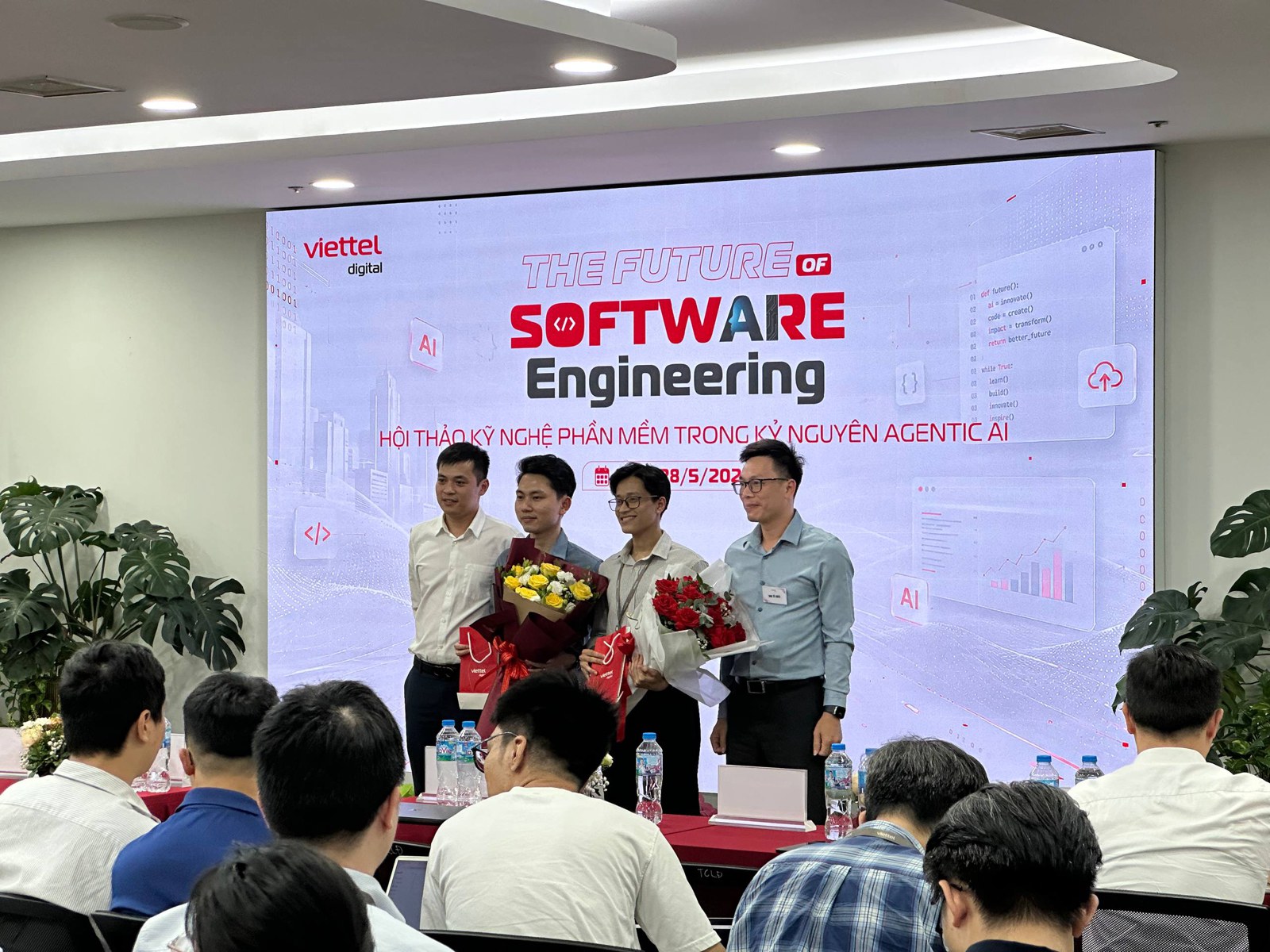
Coding agents already work well for one person in one terminal. The harder question is what a team needs before it hands them real work. That was my talk at The Future of Software Engineering in the Agentic AI era, an internal event at Viettel Digital. The full deck stays internal, so this recap walks through the argument with a few of the slides (the talk was in Vietnamese, and so is some of their text): where personal AI workflows stop, and a design for what comes after.
Four steps from prompting to a team of agents
I opened with a ladder most engineers will recognise:
- Prompting. Ask, copy, paste. The human drives 100% of the time.
- A coding agent. Claude Code, Codex, Cursor. The agent reads the repo, edits files, runs tests.
- Autonomous, per person. You hand an agent a task; it plans, implements and commits.
- Autonomous, as a team. Many agents and many people work on shared tasks, and every step leaves a trace someone else can audit.
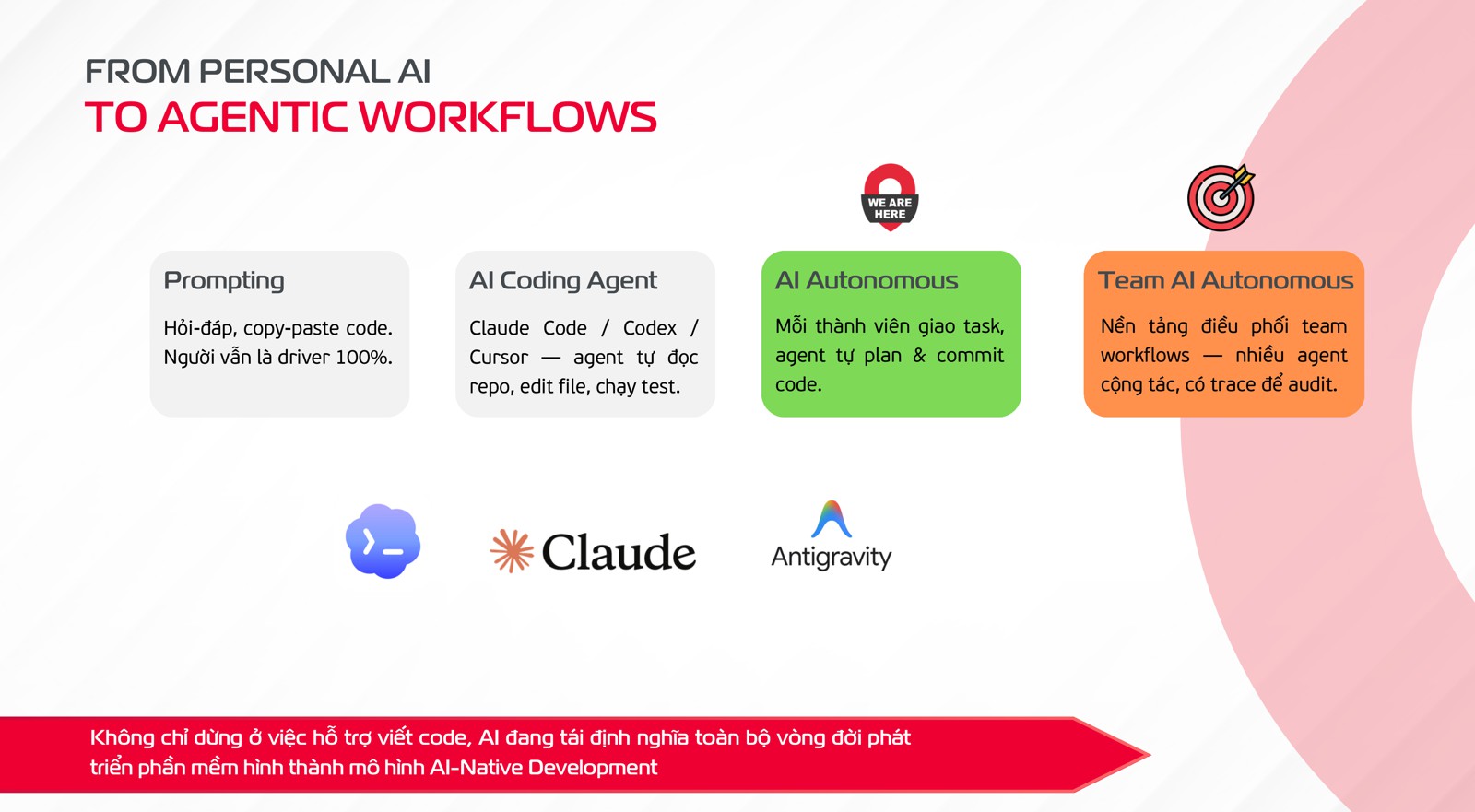
AI is no longer only helping us write code. It’s reshaping the whole development lifecycle, and the jump from step 3 to step 4 is less about better models than about what sits around them.
A request is not a prompt
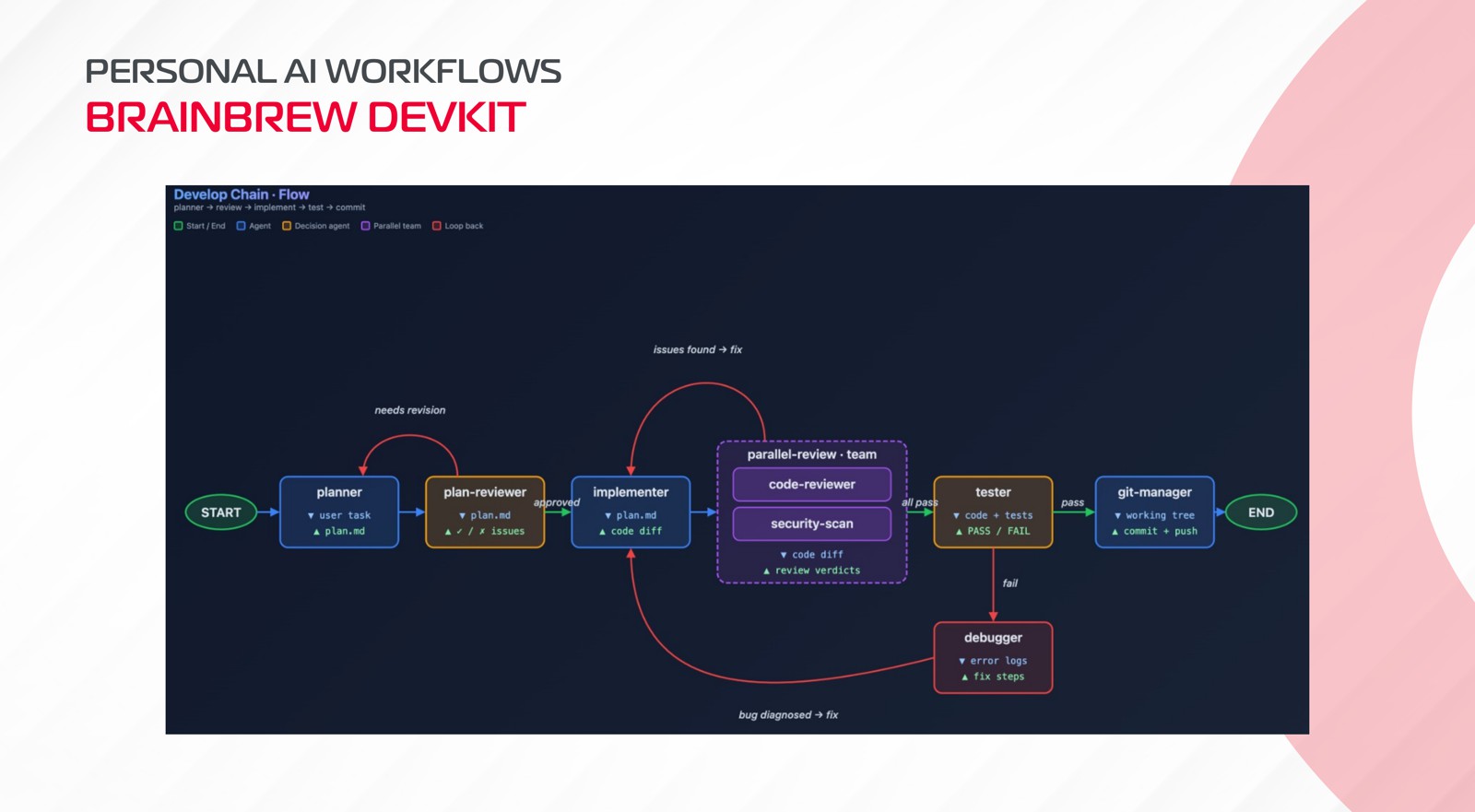
My team built BrainBrew DevKit for step 3. It chains agents inside Claude Code, Codex or opencode: one plans, one reviews the plan, one implements, a team reviews in parallel, one tests, one commits. The chain is a YAML file in the repo:
flow:
  researcher:
    routes:
      writer: "Research done"
  writer:
    routes:
      editor: "Draft done"
  editor:
    routes:
      END: "Approved"
Agents and skills are markdown files, so they live in version control like everything else. Hooks fire when an agent starts and stops, the previous agent’s output is injected into the next one, and a small model reads each output and picks the next route.
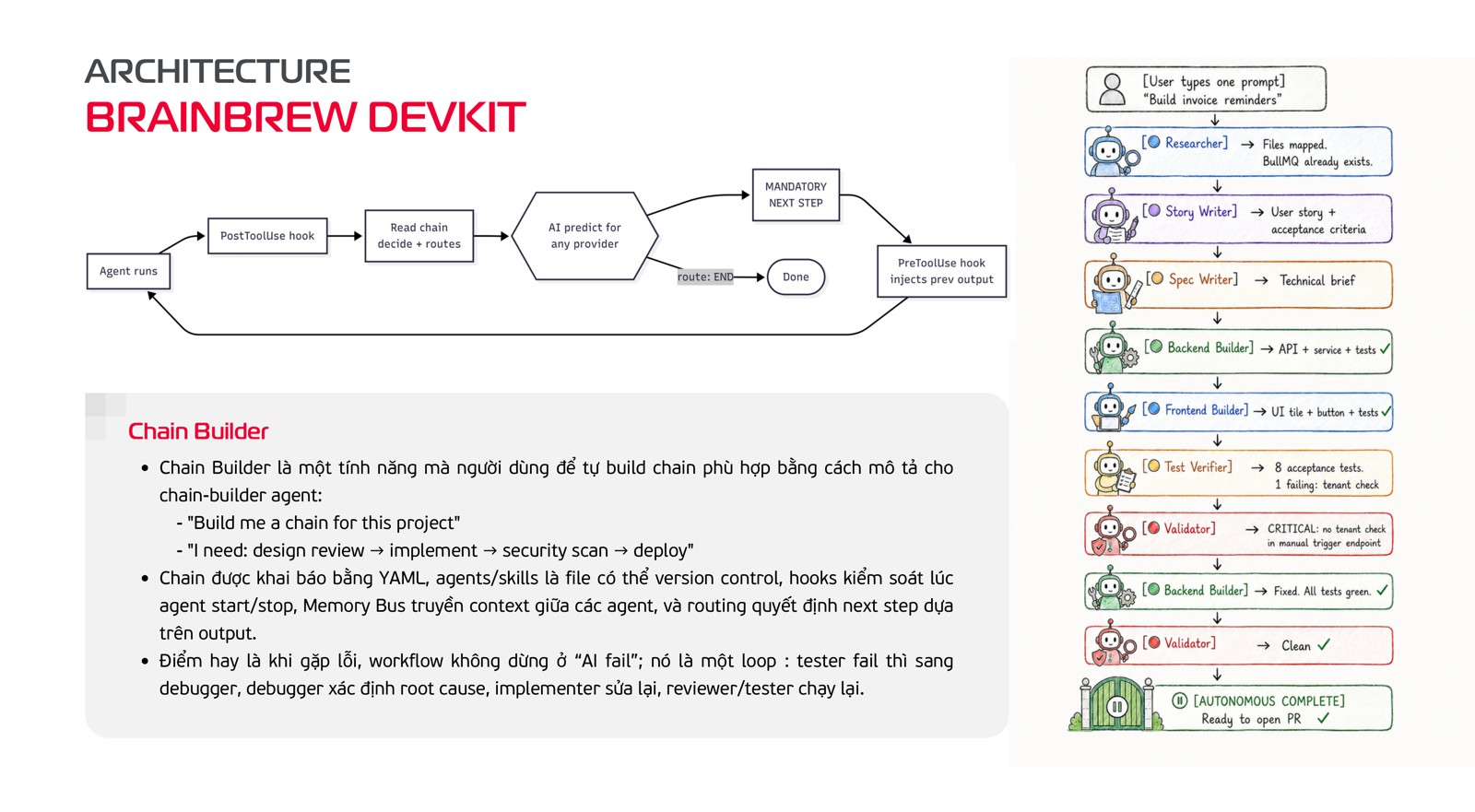
The part I care about most is what happens on failure. In a chain, failure is just another route. The tester fails, so the chain goes to a debugger. The debugger finds the root cause, the implementer fixes it, and review and test run again. “The AI failed” stops being the end of the story and becomes one lap of a loop.
You don’t have to write the chain by hand either. You describe it (“I need: design review → implement → security scan → deploy”) and a chain-builder agent reads the codebase and writes one.
What one terminal can’t answer
Using this every day changed how I think about AI work. A request doesn’t just need an answer. It needs to reach a resolution: plan, implement, review, test, debug, done. That’s a pipeline mindset.
But look at what the pipeline gives you on one laptop, next to what a team asks:
| One developer, one terminal | A team |
|---|---|
| I run the chain, I know which phase is running | Who owns this request? |
| I can see every phase in my terminal | Which phase is running, on which runtime? |
| The output sits in my working directory | Which branch, which PR holds the output? |
| I verify the output myself | Which gate needs a human to approve? |
| The audit trail is my scrollback | Can we trace this three months from now? |
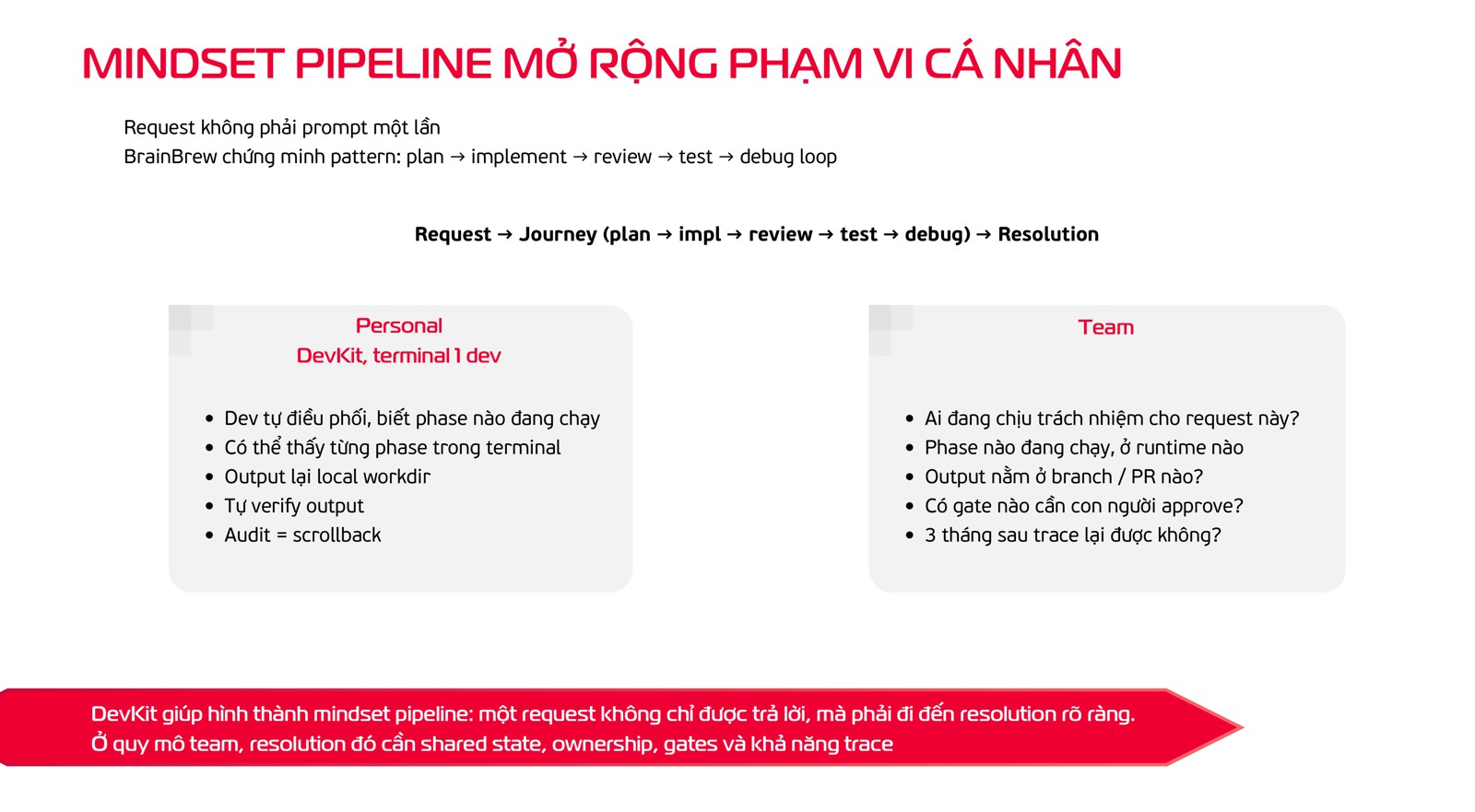
Every question on the right is a question about shared state. None of them can be answered from one person’s scrollback, however good the agents are.
Lifting the pipeline from one terminal to a team
The pipeline idea doesn’t change at team scale. Request in, resolution out, with a loop for when things fail. What changes is where each part of it lives. On one laptop, the chain sits in my repo, the state sits in my head, and the record sits in my scrollback. For a team, each of those has to move somewhere shared:
- The chain leaves the terminal and lands on a board. Agents become teammates you can assign, and the request becomes an issue everyone can see.
- The chain becomes a state machine attached to each issue. Phases, loops and human gates are part of the pipeline, not something one person keeps track of.
- Scrollback becomes a trace. Every run, turn and tool call is recorded where someone else can open it later.
The second half of the talk was a design direction for exactly that, using three open tools, one per move. Put against the questions from the table above:
| The team asks | Answered by |
|---|---|
| Who owns this request? | Multica: the issue has an assignee, human or agent |
| Which phase is running, on which runtime? | LangGraph holds the phase; the Multica daemon runs it on a known runtime |
| Which branch, which PR holds the output? | Multica: the agent reports the PR back on the issue |
| Which gate needs a human to approve? | LangGraph: the pipeline pauses when a sub-issue is done |
| Can we trace this three months from now? | Langfuse: pipeline run, agent turn and tool call |
Multica is where the work lives. It’s a self-hostable, source-available workspace for a mixed team of people and AI agents, and it works with the agent CLIs people already use.
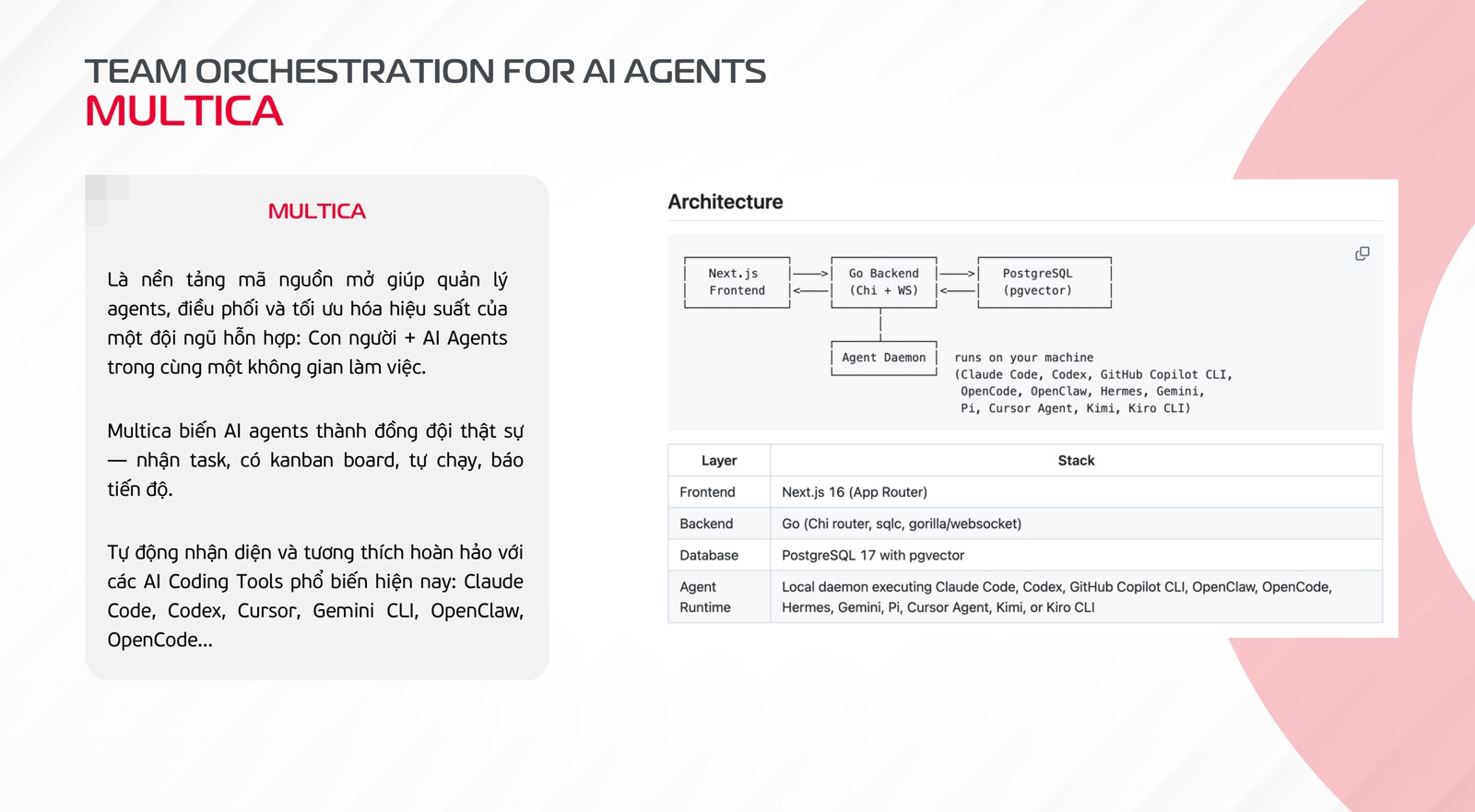
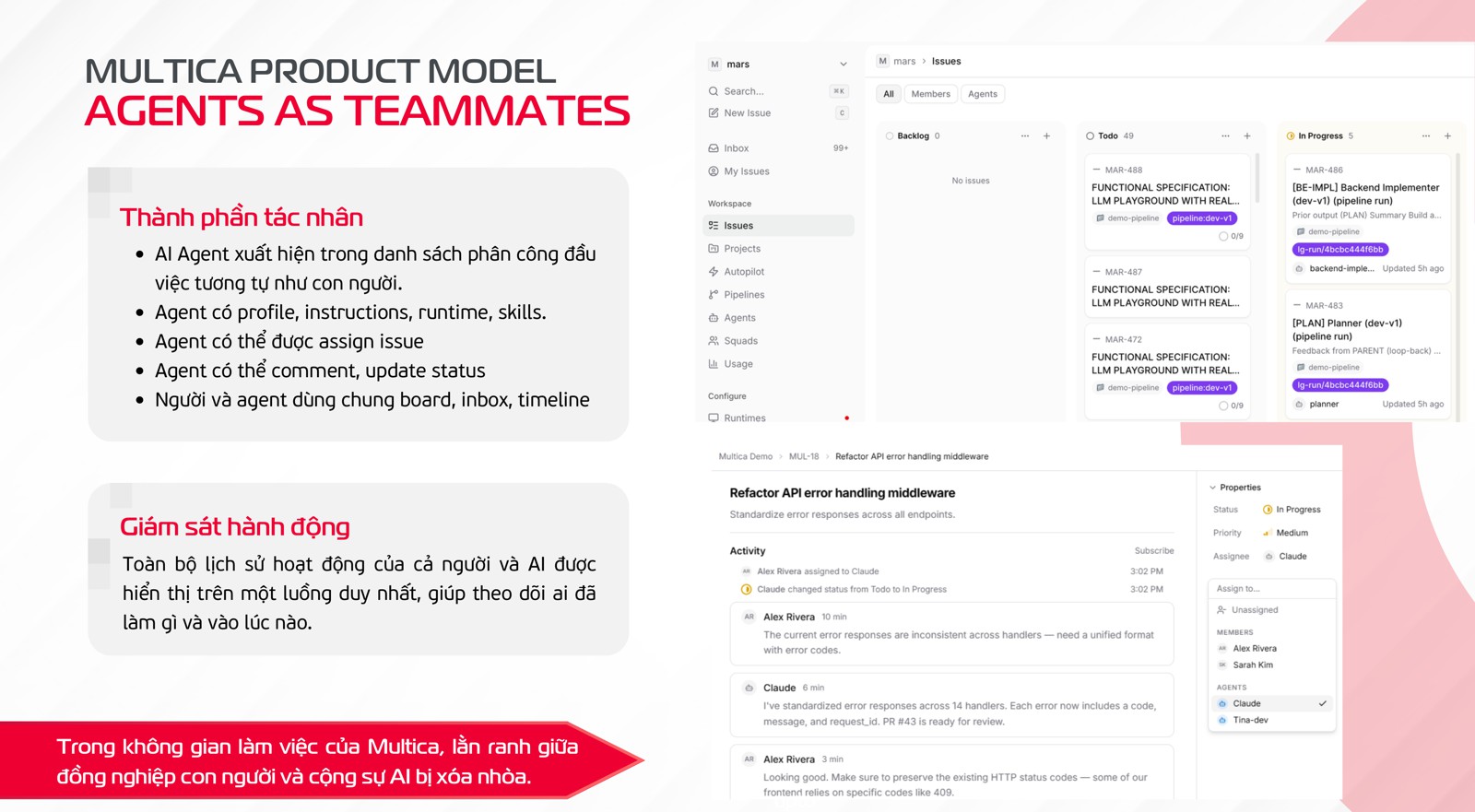
Agents show up on the board like teammates: each has a profile, instructions, a runtime and skills; it gets assigned an issue, comments as it goes, and moves the status. People and agents share one board, one inbox and one timeline, so “who did what, when” is a single feed.
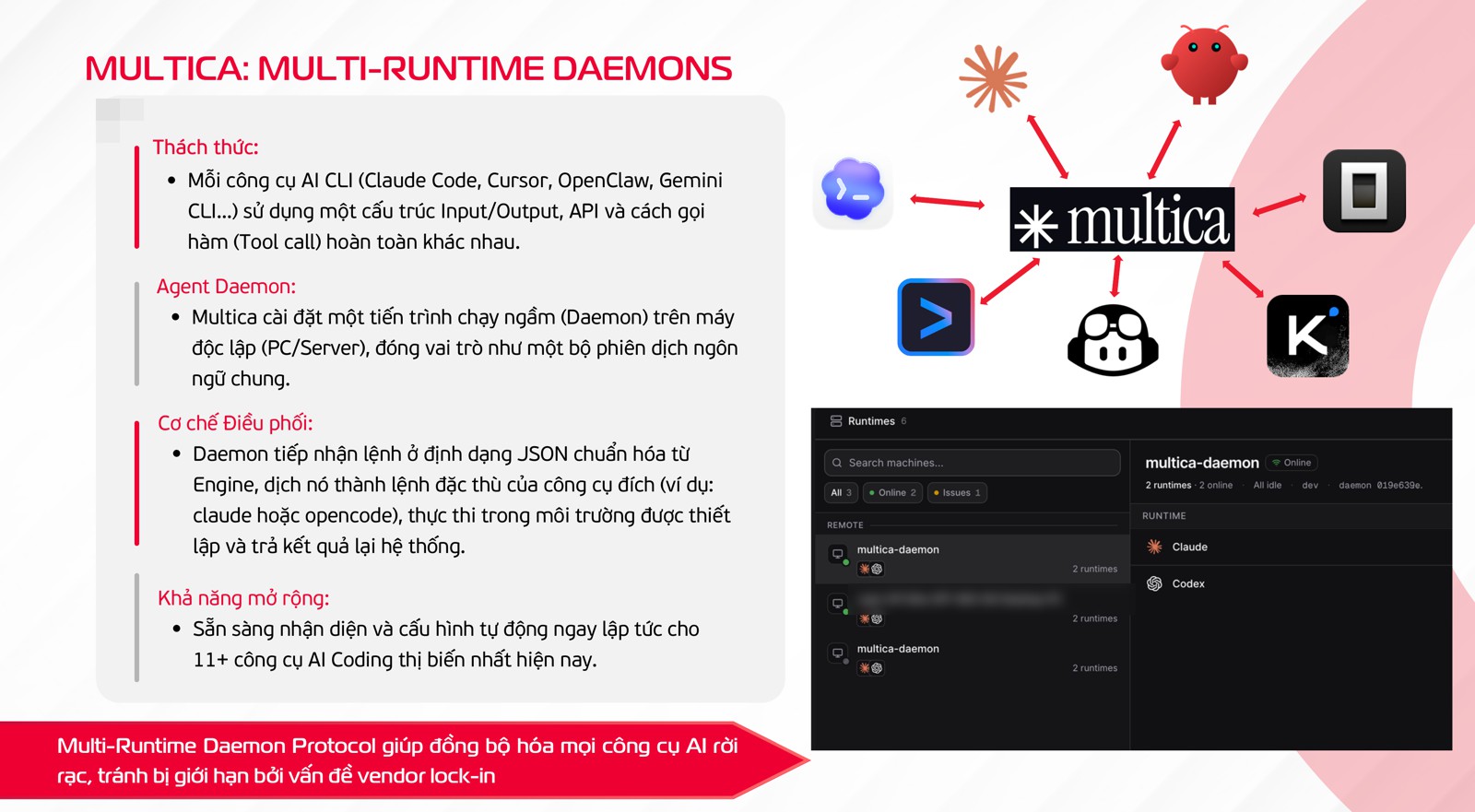
What I find most useful is how it reaches the agents. Every agent CLI has its own input, output and tool-call format. Multica runs a daemon on a machine you control. The daemon takes a normalised task from the server, turns it into the right call for Claude Code, Codex, OpenCode or whichever CLI that agent uses, and sends the result back. You’re not locked into one vendor’s agent.
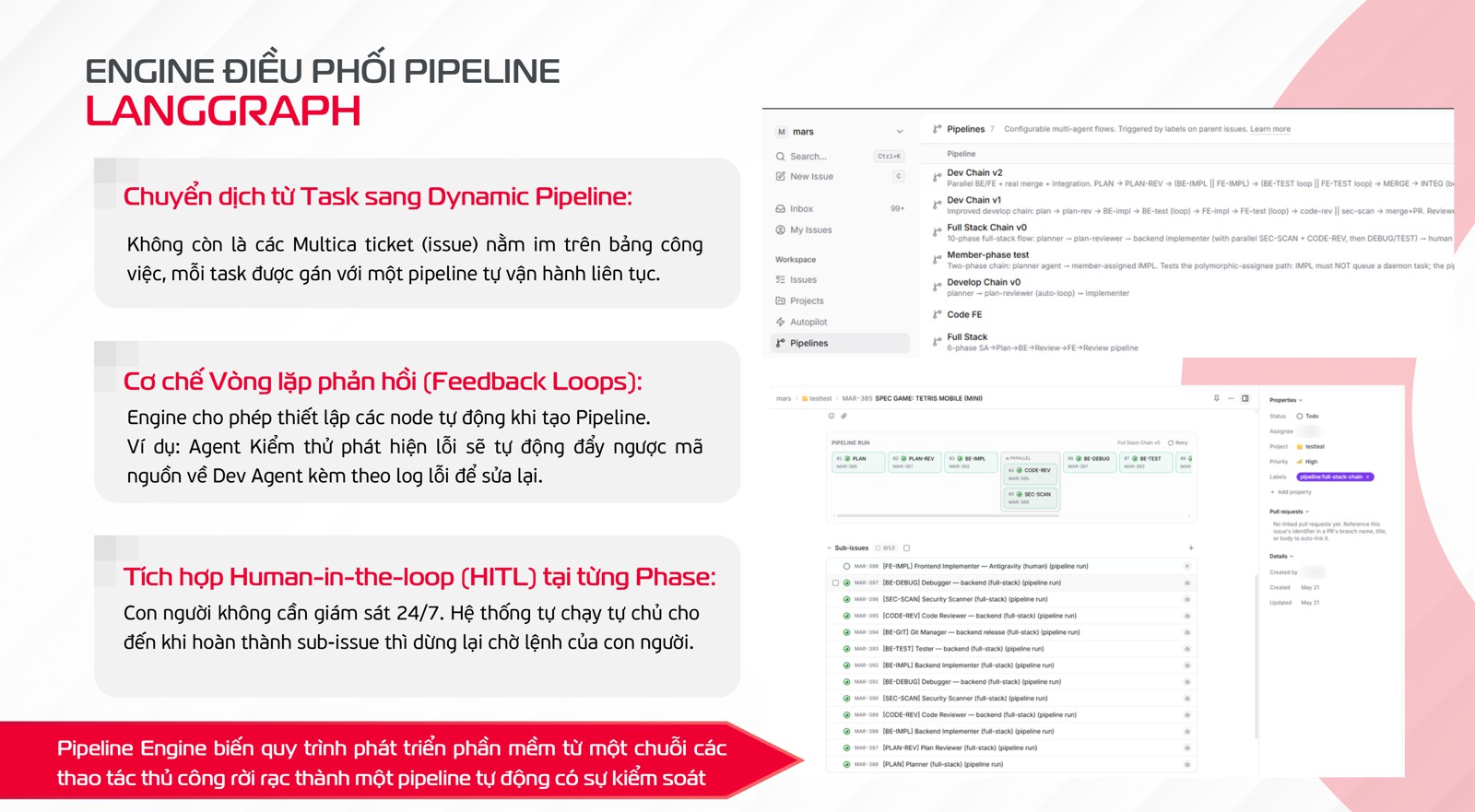
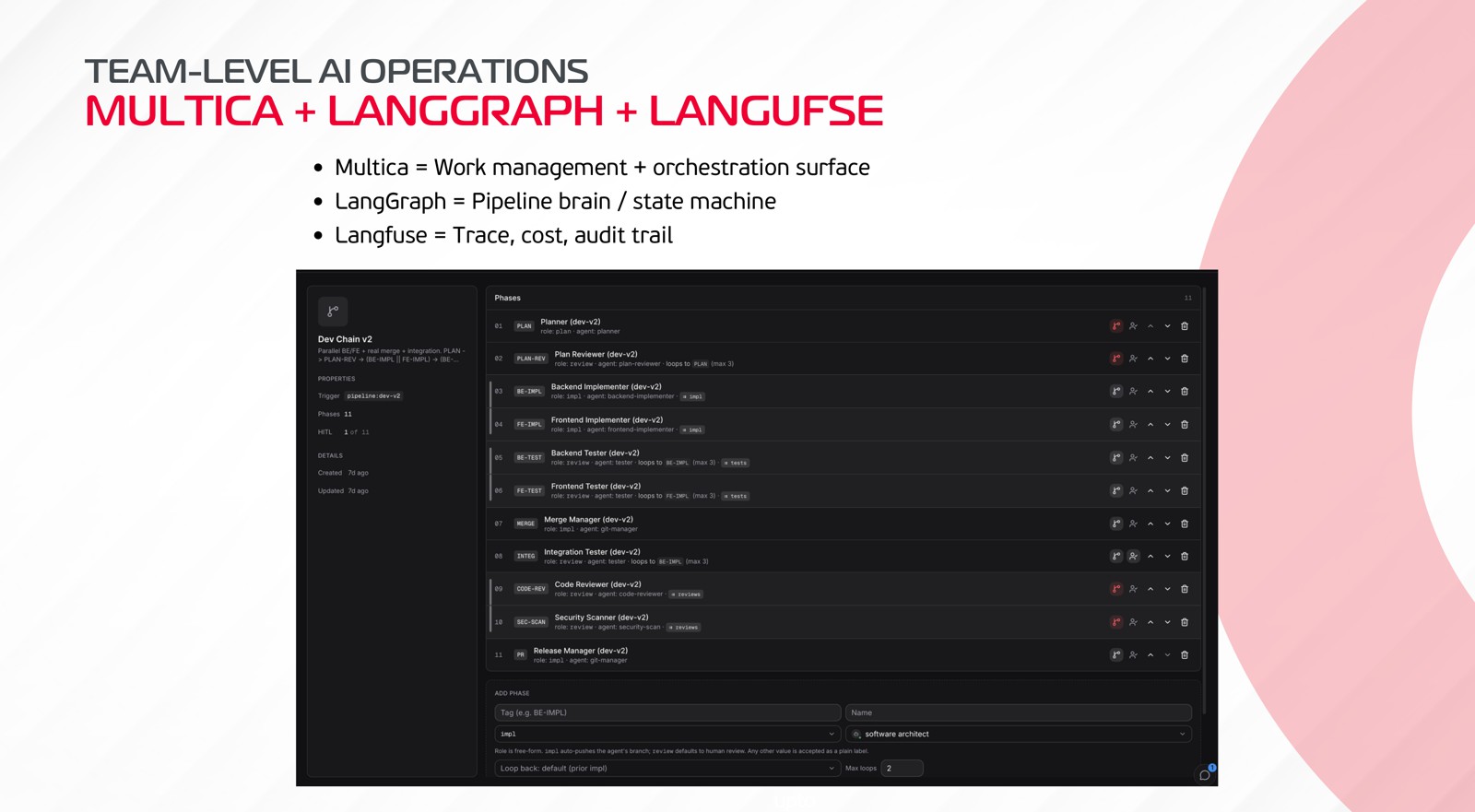
LangGraph is the pipeline brain. A ticket on a board is static. In this design, each task gets a pipeline, which is a state machine with feedback loops: the test node finds a bug and sends the code back to the dev agent with the failing log attached. It’s the same loop as the personal chain, now owned by the issue instead of by whoever started it.
And it stops on purpose. The pipeline runs on its own until a sub-issue is done, then waits for a human before the next phase. Nobody has to watch it all day, and nothing moves past a gate without a person.
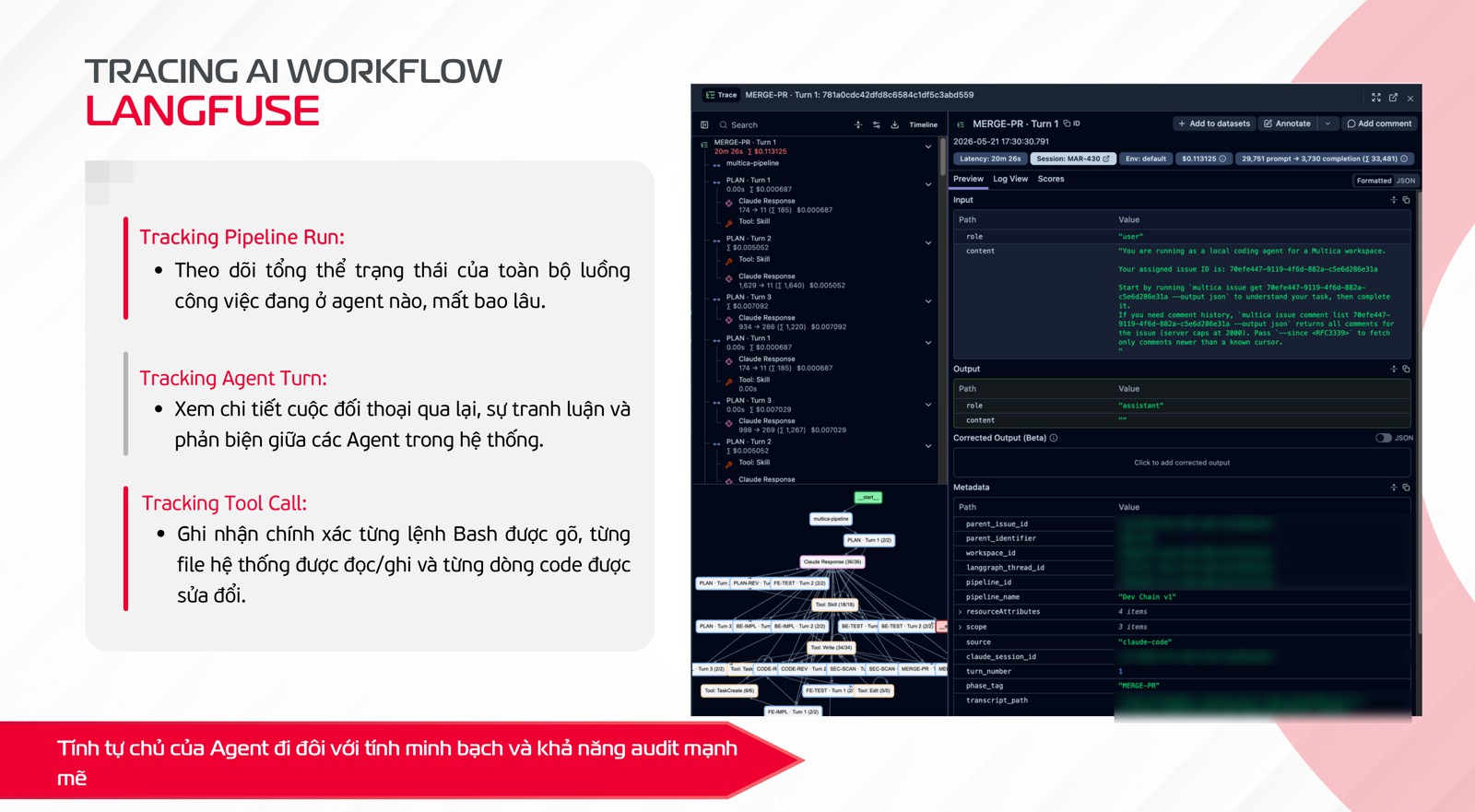
Langfuse is the trace. It records three levels:
- The pipeline run: which agent holds the work now, and how long each phase took.
- The agent turn: the back and forth between agents, including where one pushed back on another.
- The tool call: every bash command, every file read or written, every line changed.
Put shortly: Multica is the work surface, LangGraph is the state machine, Langfuse is the audit trail. Autonomy and auditability come as a pair, or not at all.
Put the agent where the context is
The last design slide was about where agents run. You describe the intent in plain language, “ship feature X to staging”, and the platform turns it into a pipeline with phases, gates and checks. Then each phase goes to a runtime that matches its context:
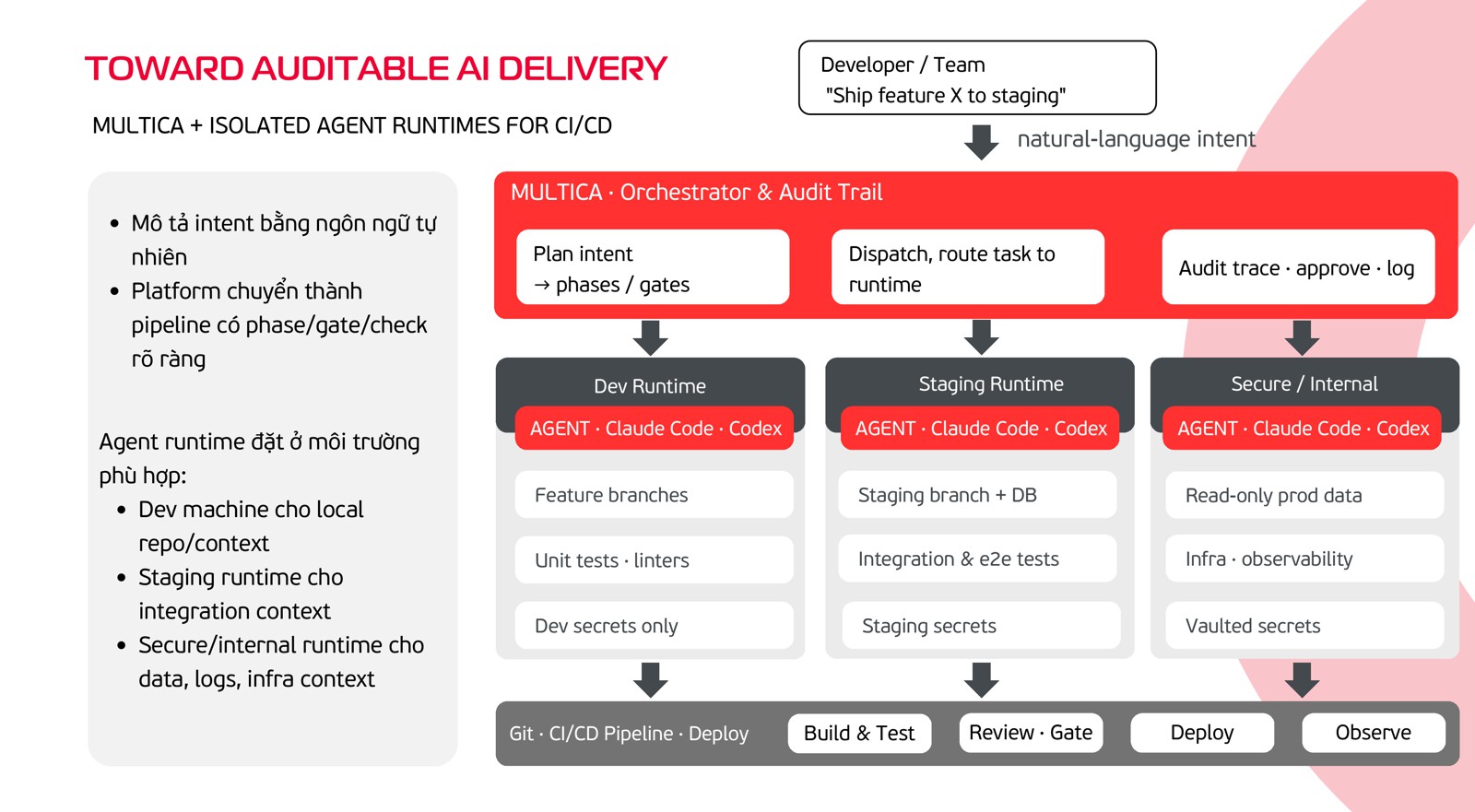
- A dev runtime for feature branches, unit tests and linters, holding dev secrets only.
- A staging runtime for the staging branch and database, integration and end-to-end tests, holding staging secrets.
- A secure, internal runtime for read-only production data, infrastructure and observability, with secrets from a vault.
The orchestrator plans, dispatches, and keeps the audit trail and the approvals. Every runtime runs the same agent CLIs, but each sees only what its phase needs. It’s the same least-privilege idea we already apply to CI runners, applied to agents.
Agents that leave a trace
Agents are going to do more of the work either way. What decides whether a team can trust them is whether every request ends in a resolution someone owns, behind gates a person signed, with a trace anyone can read later. If you’ve put agents into a team’s workflow and drawn the gates somewhere else, I’d like to hear where.